

To create a school lunch account on the new Titan - A Linq Solution for your student, you will need to have your student's ID number to register for the account.
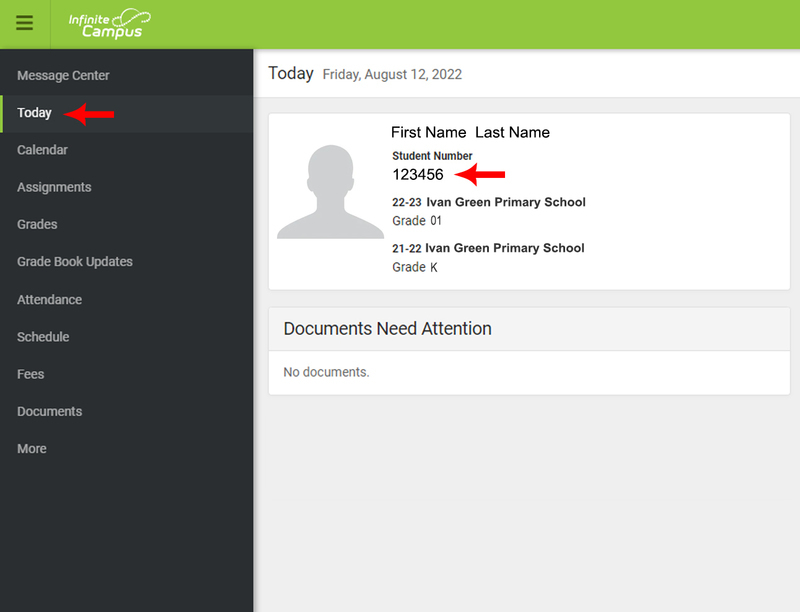
1) Log into Infinite Campus Parent Portal.
Infinite Campus
2) Click on “Today” which is just below Message Center.
3) The Student Number is the six-digit identification number below their name on this page.
Click here for help with accessing the Parent Portal.
To register for a student lunch account, go to the following link: https://family.titank12.com/